
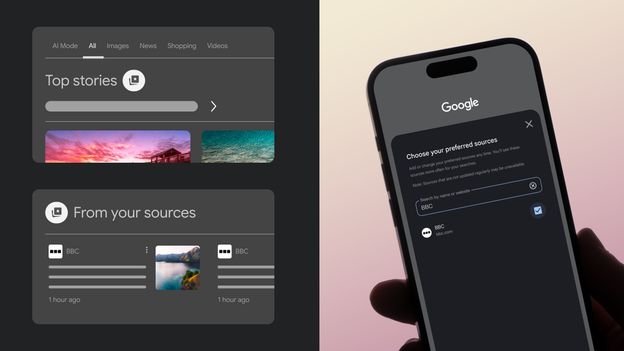
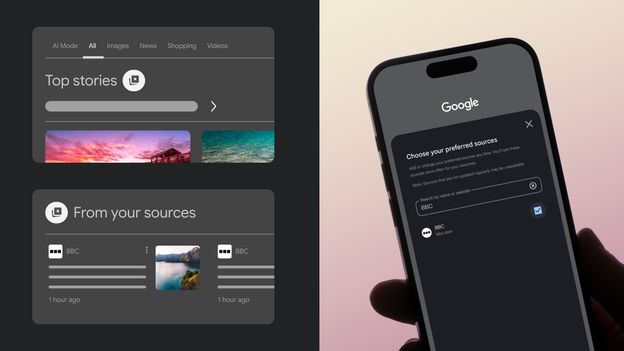
Tired of scrolling past irrelevant results or AI summaries burying your go-to news sites? Google has rolled out a handy new feature called Preferred Sources, giving you the power to decide which publishers – like the BBC – appear front and center in your search results.
Whether you’re hunting for breaking news or a quick recipe, this tool lets you customize your Google settings to prioritize trusted outlets. Here’s the lowdown:
Preferred Sources are websites you select in your Google account settings. Once added, Google will bump up content from these sources in search results, especially in the Top Stories section. Look for the “from your sources” tag on both desktop and mobile – that’s where your chosen publishers will shine.
To get started, simply log into your Google account, head to the Preferred Sources link, and check the box next to BBC.com (or any other preferred site). You can also set it on the fly: after a search, click the starred card icon next to “Top Stories,” add BBC.com, and reload to see tailored results. This preference sticks for all future searches.
For more tech insights, sign up for the Tech Decoded newsletter, or get curated stories twice a week with The Essential List. Follow the BBC for science, tech, and environment updates on Facebook and Instagram.



Comments are closed for this story.