
In the fast-paced world of TikTok, standing out requires more than creative ideas and trending sounds. High-performing TikTok videos depend heavily on professional editing, storytelling, pacing, and platform optimisation. Whether you’re an aspiring influencer, brand marketer, or content creator, mastering video editing can dramatically increase your reach, engagement, and follower growth.
One tool consistently dominating the short-form video editing space is CapCut – the free all-in-one editing platform developed by ByteDance, TikTok’s parent company. Designed specifically for modern content creators, CapCut offers powerful editing capabilities across mobile, desktop, and web, making professional-level TikTok editing accessible to everyone.
Why CapCut Is the Preferred Video Editing Tool for TikTok Creators
CapCut has become a favourite among creators because of its deep TikTok integration, ease of use, and increasingly advanced AI-powered features.
Core Features That Make CapCut Powerful:
- Free mobile, desktop, and browser-based editing
- TikTok-optimised 9:16 vertical formatting
- Auto-captions and subtitle generation
- AI voiceovers and text-to-speech
- Templates for viral trends
- Advanced keyframe animation
- Motion tracking
- Green screen effects
- Audio syncing
- Multi-layer timeline editing
- One-click social exports
According to TikTok’s official resources, CapCut’s seamless ecosystem is designed to help creators efficiently produce polished, engaging short-form content without requiring expensive professional software. (TikTok For Business)
Top TikTok Creators Teaching CapCut Mastery
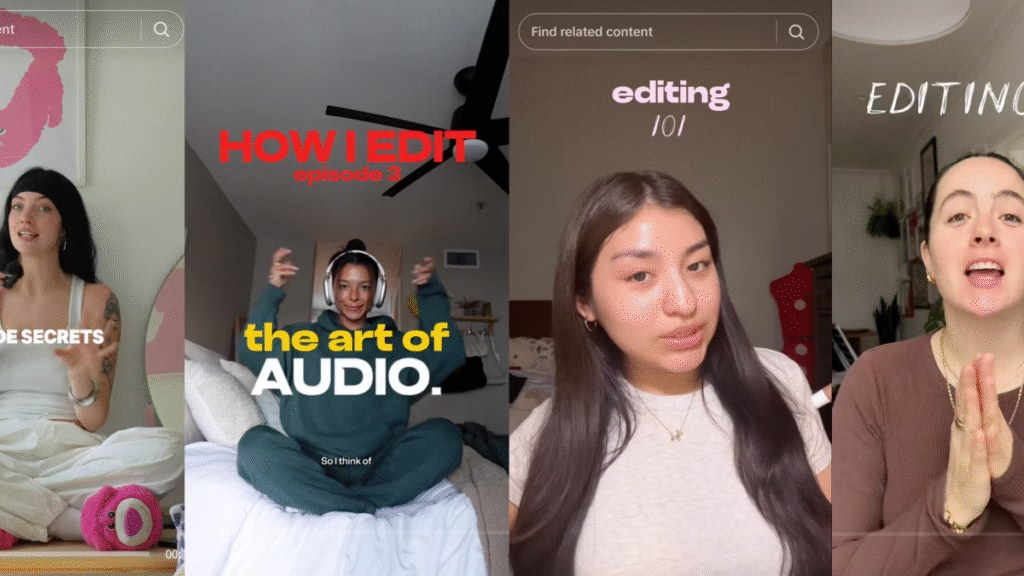
Several successful creators have built educational content around teaching others how to maximise CapCut’s capabilities.
1. Mia (@floofysocials) – “Confidently Create” Series
Mia’s extensive 15-part educational series covers:
- Planning engaging content
- Charging gear and setup essentials
- Shot lists
- Recording cinematic B-roll
- Editing for retention
- Building confidence on camera
- Posting strategy
Her workflow emphasises creator discipline, organisation, and polished storytelling.
2. Meg (@happywithmeg) – Voiceover and Storytelling Specialist
Meg focuses on:
- Audio clarity
- Narrative structure
- Voiceover mastery
- Camera angles
- Emotional engagement
Her tutorials are especially valuable for creators who want a stronger audience connection and storytelling power.
3. Nat (@natiduplat) – Advanced Editing Effects
Nat introduces:
- Floating text
- Subject masking
- Layered transitions
- Dynamic animations
- Viral editing styles
These advanced techniques help videos appear more polished and algorithm-friendly.
4. Jeslyn (@jslynb) – Editing Fundamentals
Jeslyn simplifies:
- Keyframing
- Workflow management
- Editing basics
- Visual pacing
- Shot composition
Her beginner-friendly guides are ideal for creators starting from scratch.
Essential TikTok Editing Strategies for Better Performance
Top creators consistently emphasise these proven editing principles:
Hook Viewers Within the First 3 Seconds
TikTok’s algorithm rewards retention. Start with:
- Bold statements
- Fast cuts
- Motion
- Curiosity-driven text overlays
Use Captions Strategically
Captions increase watch time and accessibility.
CapCut’s auto-caption tools can:
- Improve retention
- Increase accessibility
- Enhance SEO discoverability
- Boost silent viewing engagement
Prioritise Fast Pacing
Successful TikTok videos often use:
- Jump cuts
- Pattern interrupts
- Zoom effects
- Dynamic B-roll
- Music syncing
Follow Trends, But Add Originality
CapCut templates allow users to quickly adopt viral trends while customising:
- Fonts
- Audio
- Effects
- Branding
Mobile vs Desktop CapCut: Which Is Better?
Mobile:
Best for:
- Quick edits
- On-the-go content
- Trend participation
- Simplicity
Desktop:
Best for:
- Complex edits
- Multi-layer projects
- Advanced keyframes
- Brand campaigns
- Long-term creator growth
Common CapCut Challenges Creators Should Know
While CapCut remains highly popular, some creators have raised concerns about:
- Feature limitations on desktop
- Subscription pushes
- Removed effects
- Server overload during peak times
Still, for most TikTok-focused creators, CapCut remains one of the most efficient editing tools available.
SEO Benefits of TikTok Video Editing
Professional editing doesn’t only improve visuals — it also boosts discoverability through:
Stronger Metadata:
- Keyword-rich captions
- Searchable subtitles
- Better watch time
- Improved completion rates
Better Platform Signals:
- Higher retention
- Increased shares
- More saves
- Better engagement metrics
These factors can significantly improve TikTok algorithm performance.
Recommended Learning Resources
Official Tools:
Tutorials:
Final Verdict: Is CapCut Worth Learning in 2026?
Absolutely.
For creators serious about growing on TikTok, Instagram Reels, or YouTube Shorts, CapCut remains one of the best free editing platforms available. Its combination of simplicity, professional features, and creator-focused design makes it ideal for both beginners and experienced social media marketers.
Bottom Line:
If you want to create scroll-stopping, high-retention, viral-ready content, learning CapCut is no longer optional – it’s a competitive advantage.
By combining:
- Expert creator tutorials
- TikTok trend awareness
- Strong storytelling
- Advanced editing
- SEO strategy
You can dramatically improve your content quality and increase your chances of building a successful presence in today’s creator economy.




Comments are closed for this story.